Every watch needs a keeper.
Each morning, your mom or dad taps I'm OK on their watch. You see it on your phone.
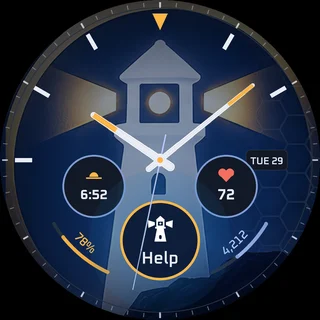
If the tap doesn't come, or the watch goes quiet, your phone tells you. A fall does too. And if they ever need help, the HELP button is right there on the watch.
If you can't answer, your backup contact gets the alert too.
7 days free. Then $120/year ($10/month), or $30 month to month.
Requires an Android phone and a compatible Wear OS watch. Watch not included.
Only you see their check-ins. We never sell data.

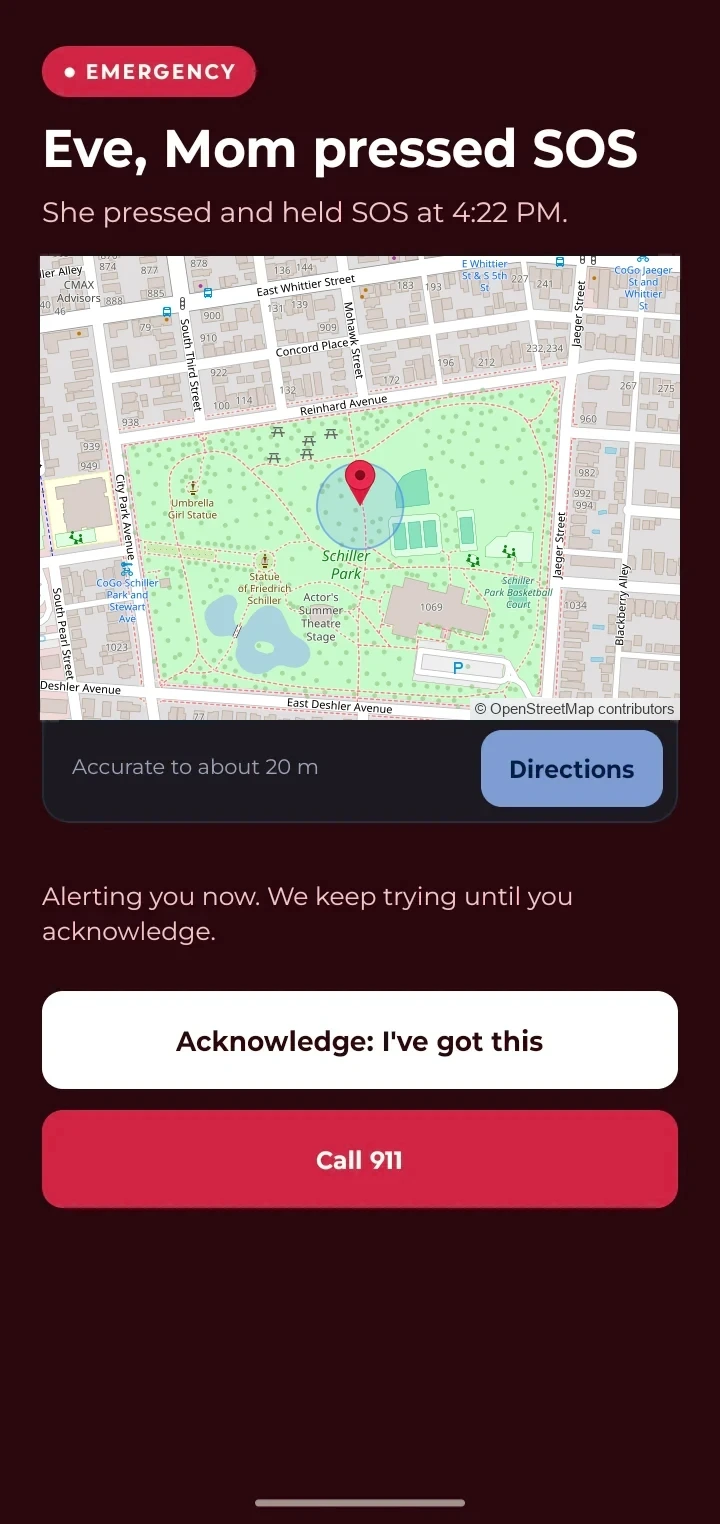
An example scene. The alert is a test, shown with a sample location.
Answer four quick questions. Your answers stay in your browser until you ask for your code at the end. When you finish, you get a personal code that doubles the free trial to 14 days.
When the watch’s own fall detector notices a fall, you get an alert, even if nobody can press anything.
If the morning tap doesn’t come, your phone lets you know. That’s the main thing Lanturne does.
If the watch stops reporting, you get an alert about that too.
A fall, a missed morning tap and a silent watch all send an alert to your phone.
No watch yet? A refurbished Galaxy watch starts at $89.
Redeem your code in Google Play before you subscribe, and your free trial lasts 14 days instead of 7. The code works only once.
Also sent to your inbox.
The Lanturne family app only runs on Android phones. If one person in your family has an Android phone, they can be the one who gets the alerts. If nobody does, Lanturne can’t reach you yet.
See they've checked in, even from work, without another phone call.
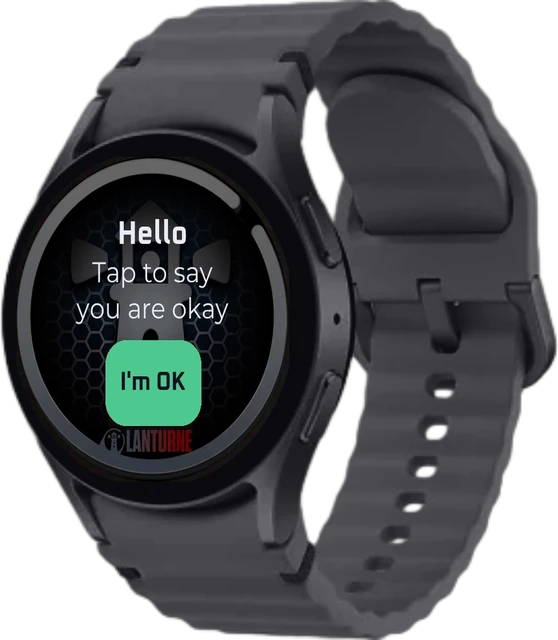
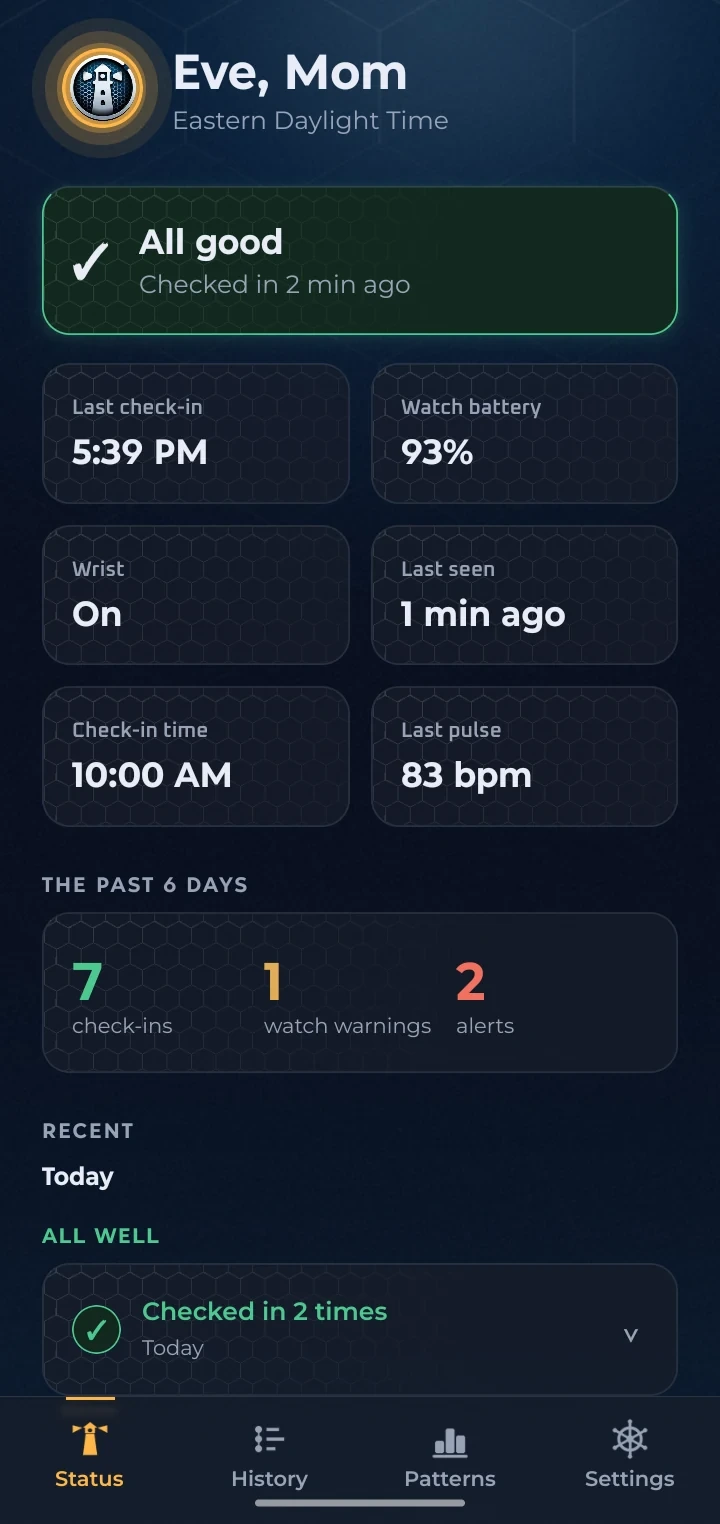
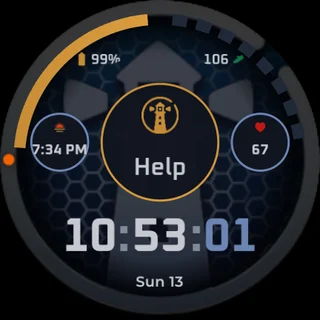
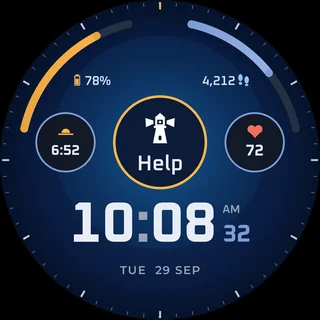
Screens from our test watch and phone.
Walter's check-in is set for 9:00 AM. You're at work. By 11:00 AM it still has not come, so your phone gets an alert. You call Walter's neighbor, who pops over to check on Walter.
An example, not a real case. More examples, and the research behind them

billed $120 a year after 7 free days. You save $240 compared with paying monthly.
Or pay $30 month to month.
Covers one person wearing the watch and two people who get alerts: you, and a backup contact in case you don't respond.
Your first year of Lanturne costs $390.88 with a refurbished LTE watch and the yearly plan. A first year of Bay Alarm's smartwatch with fall detection costs $758.60, and that includes a monitoring center. See the comparison.
Google Play handles payment and canceling.
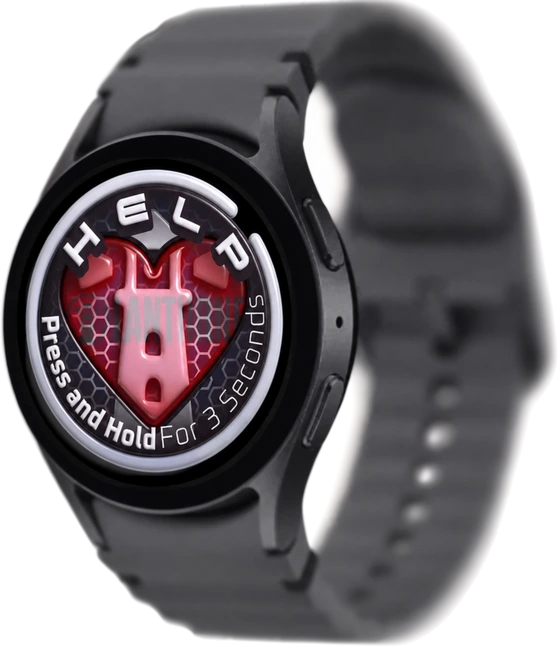
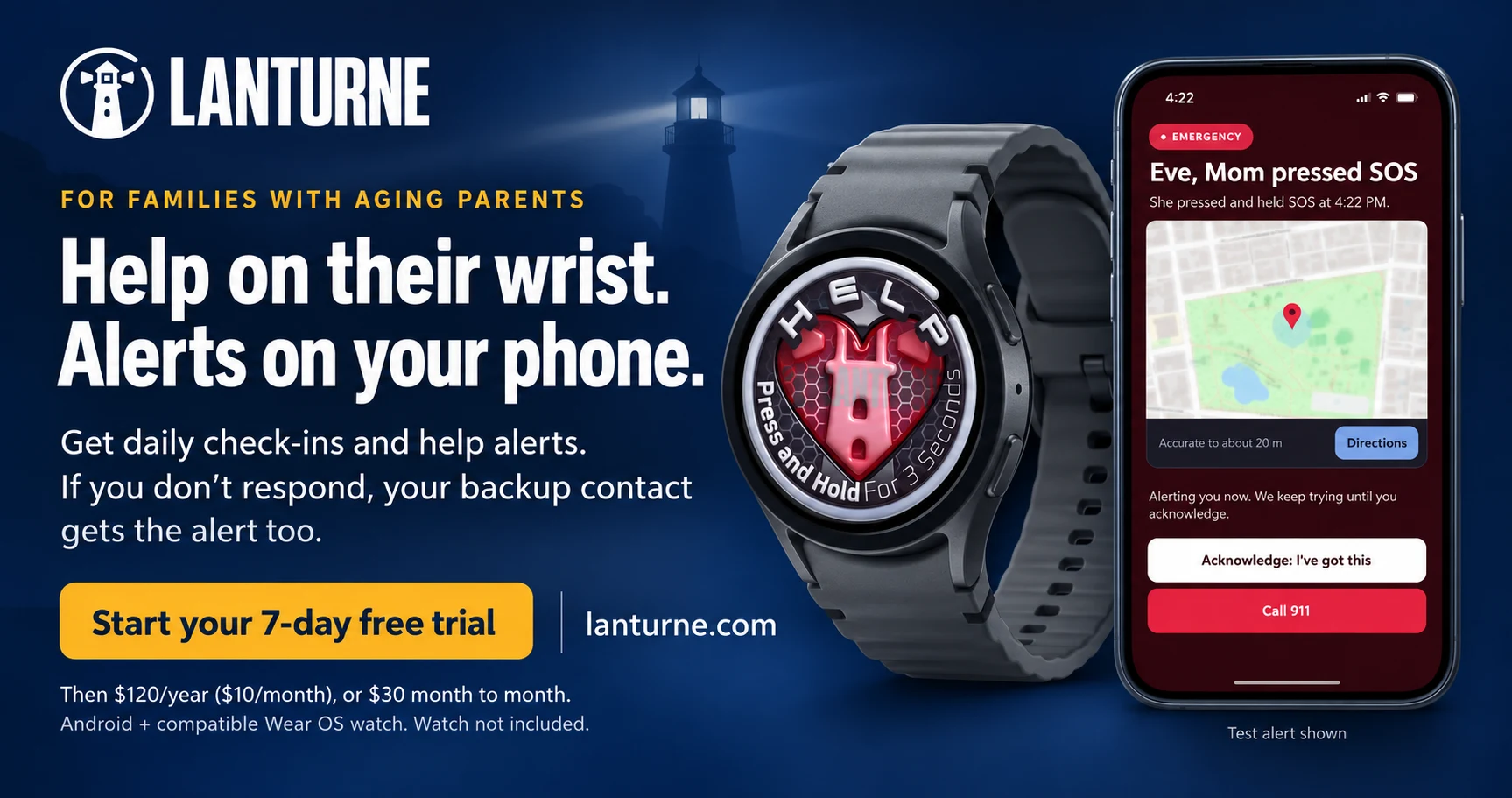
Start your 7-day free trialAfter a fall in the garden, Eve holds HELP on the watch to ask for help. Here is what happens next. These screens come from a Samsung Galaxy Watch7 (40 mm) and a Moto G phone. On the phone, a HELP press shows up as SOS.

Eve presses and holds HELP on the watch for three seconds. A short countdown gives Eve time to cancel if it was a mistake.
Your phone gets the alert. It shows what happened, when and where, with a Call 911 button.
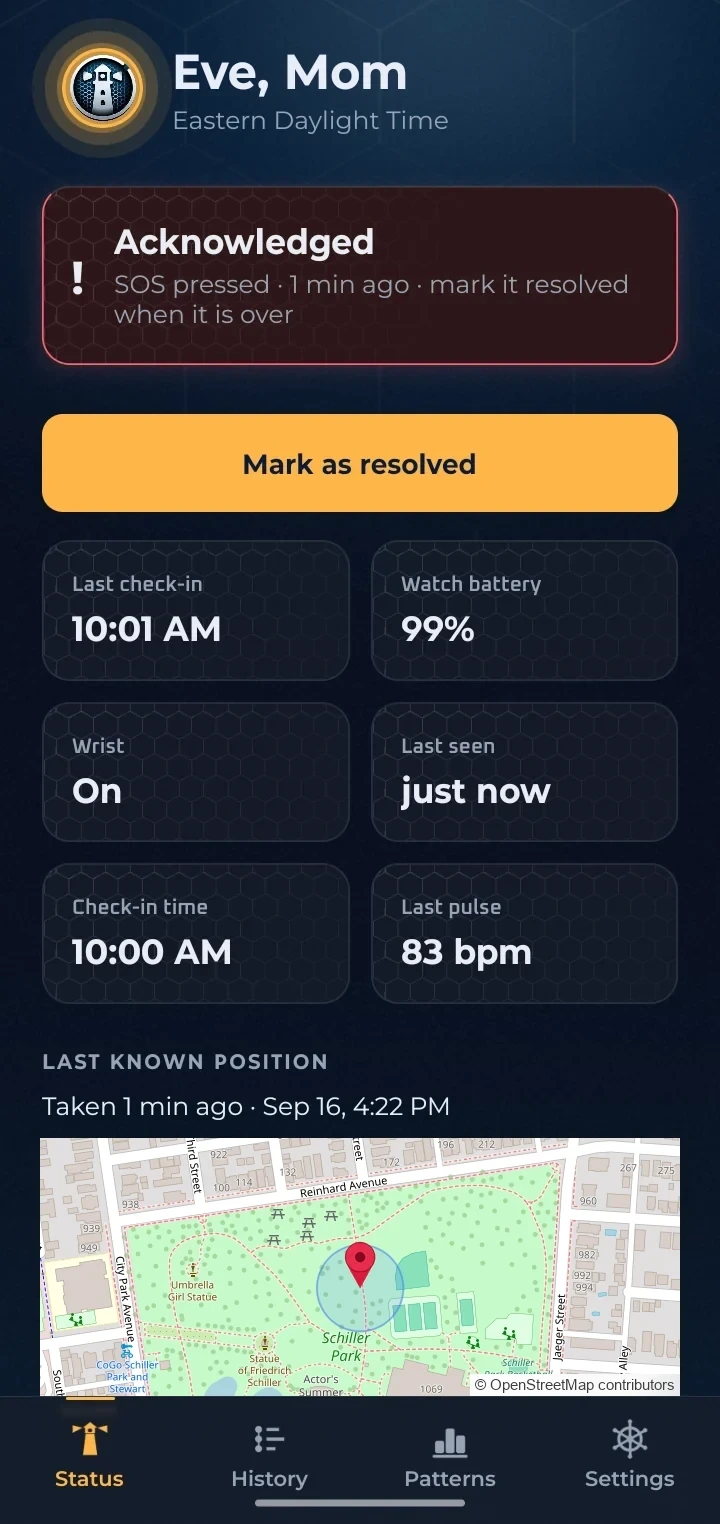
You tap Acknowledge, and the alerts stop for you and your backup contact.
When we tested it, the alert reached the phone in the same minute HELP was pressed.
This is a test alert with a sample location. The watch screen is from the current version of the app.
Technium Foundry, a small software company in Jacksonville, Florida. Meet us.
Filmed on a Galaxy Watch7 and a Moto G. The map is blurred because it shows a real address. Only the first and third videos show the product. The others are brand videos.
The watch already has emergency features of its own. Lanturne adds the everyday things a family wants.
A quick tap each morning shows up on your phone. If it doesn't come, you get an alert.
See the battery, whether it's on the wrist, and when it last checked in. That way a dead or forgotten watch won't catch you off guard.
Five things send you an alert. For four of them, nobody has to press anything.

The morning tap still hasn't come after the wait you set.
The watch stops reporting for longer than the time you set.
The watch is on the wrist, but it finds no pulse and no movement for as long as you set.
They press and hold the HELP button on the watch.
The watch's own fall detector notices a fall, and they don't cancel it.
Every alert has a Call 911 button that opens your phone's dialer with 911 typed in.
Install Lanturne on their watch and on your phone, then type in the six-digit code the watch shows.
A quick tap each morning, and a HELP button right there whenever they need it.
Alerts go straight to you, with a backup contact if you don't respond.

Short answers to what families ask when someone they love lives alone.
They don't have to. Lanturne runs on a regular Wear OS smartwatch, one they already have or one you buy them. A refurbished Galaxy watch starts at $89. There is no pendant and no base station. They check in once in the morning, and HELP is there if they need it.
Your phone repeats the alert, and it can break through Do Not Disturb. If you haven't answered after a few minutes, your backup contact gets it too. It keeps repeating for up to two hours, until one of you marks it handled.
Only you see their check-ins, battery and history. Your backup contact sees an alert only when you haven't answered it. We never sell data, and there are no ads.
In the Google Play app, under Payments and subscriptions. Cancel before day 7 and you are not charged.
Start with what they keep: their own watch and their own routine. Show them how to answer the check-in and where HELP is, then pick the check-in time together. More on that conversation.
Not at home. The watch uses Wi-Fi it already knows. Out and about, it needs its own mobile plan, the phone it was set up with nearby, or a phone's hotspot.
No. Alerts go to you and your backup contact. Every alert has a Call 911 button that opens your own phone's dialer.
No product can promise that. Lanturne depends on the watch being worn, charged and connected, and on your phone being able to receive alerts. Treat it as one layer of care, not the only one.
No, and it is not an emergency service. It tells you and your backup contact what the watch noticed.
You can't be there every hour. Lanturne tells you when something is off, and stays quiet when all is well. Try it free for seven days. If it's not for you, cancel in Google Play and you pay nothing.
7 days free. Cancel any time.


 Start your 7-day free trial